Your AI Assistant Doesn't Need to Phone Home: How Americans Are Running Powerful AI Locally and Keeping Their Data Off the Grid
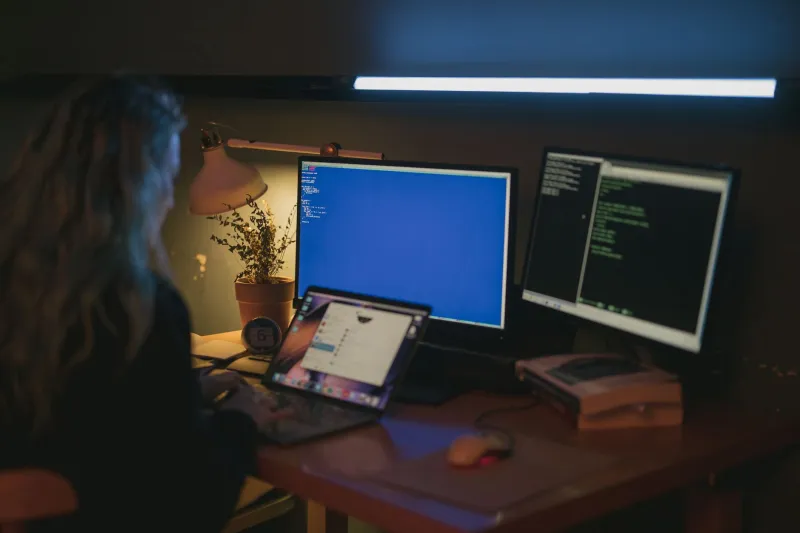
Here's something worth sitting with for a second. Every time you ask ChatGPT a question, type a prompt into Claude, or use an AI image generator through a web browser, that interaction travels to a data center somewhere, gets processed on hardware you'll never see, and gets logged by a company whose privacy policy you almost certainly haven't read. That's not a conspiracy theory — it's just how cloud computing works.
For a lot of people, that's a fine tradeoff. But for a growing number of Americans — from small business owners handling sensitive client data to families with legitimate privacy concerns — the idea of keeping AI capabilities entirely local, on hardware they own and control, is starting to sound less like paranoia and more like common sense.
The Open-Source AI Explosion Nobody Covered Enough
The release of Meta's LLaMA model in early 2023 was, in retrospect, a watershed moment that didn't get nearly the mainstream attention it deserved. For the first time, a genuinely capable large language model was available for anyone to download, run, and modify. It wasn't quite as polished as GPT-4, but it was there, on your machine, answering questions without a single packet leaving your home network.
Since then, the open-source AI ecosystem has exploded. Tools like Ollama make it almost trivially easy to pull down models like Mistral, LLaMA 3, Phi-3, and dozens of others and run them through a clean local interface. Stable Diffusion and its descendants have put professional-grade image generation on consumer hardware. Whisper handles transcription locally. LM Studio gives non-technical users a friendly desktop app to manage and chat with local models without touching a command line.
The barrier to entry has dropped dramatically, and the community building around these tools is moving fast.
What Does "Running AI at Home" Actually Require?
This is where a lot of coverage gets either too technical or too hand-wavy, so let's be specific.
For running a capable text-based AI model locally, you're looking at a few realistic scenarios. A modern laptop with 16GB of RAM can handle smaller models like Phi-3 Mini or Mistral 7B reasonably well — responses are slower than cloud alternatives but perfectly usable for most tasks. Step up to a desktop with a dedicated GPU (an NVIDIA RTX 3060 or better is the sweet spot most enthusiasts point to) and you can run larger, more capable models with response times that start to feel genuinely snappy.
For image generation, the GPU matters even more. A 4090 is the gold standard, but plenty of people are running Stable Diffusion on 3070s and 3080s and getting excellent results.
Mark Chen, a freelance accountant in suburban Columbus, Ohio, built a local AI setup for around $800 in repurposed hardware last year. "I handle tax documents for small businesses, and the idea of typing client financial information into a cloud AI just made me uncomfortable," he explains. "Now I use a local model to help with document summaries and drafting client emails. Nothing sensitive ever leaves my office."
The Real Cost Comparison
Cloud AI services have gotten cheaper, but they're not free. ChatGPT Plus runs $20 a month. Claude Pro is another $20. Midjourney for image generation adds another $10 to $30 depending on your usage tier. For a small business using multiple tools, that's a real monthly line item that compounds over time.
Local AI has upfront hardware costs but near-zero ongoing expenses. The electricity cost of running inference on a consumer GPU for typical daily use is genuinely negligible — we're talking cents per day in most cases. If you already have a reasonably capable gaming PC sitting in your living room, you may already own most of what you need.
The tradeoff is maintenance. Cloud services update automatically, have massive teams handling reliability, and generally just work. Local setups require some willingness to troubleshoot, update models manually, and occasionally dig into forums when something breaks. That friction is real, and it's not for everyone.
Families, Home Offices, and the Privacy Calculus
Beyond small businesses, the local AI movement is picking up steam in households with specific privacy concerns. Parents who want AI homework help tools their kids can use without training data being harvested. Individuals dealing with sensitive health questions who don't want their queries logged. Journalists and researchers working with confidential sources.
Sarah Okonkwo, a nurse practitioner in rural Tennessee, started using a local AI setup to help her draft patient education materials. "I'm obviously not inputting actual patient data into anything," she's quick to clarify, "but even having a tool to help me write clearly about conditions and treatments, knowing that's all staying on my own computer, just feels more appropriate for my work."
The community around these tools has also built some genuinely useful infrastructure for less technical users. Open WebUI, for instance, gives local models a polished chat interface that looks and feels similar to ChatGPT. AnythingLLM lets you point local AI at your own documents and build a private knowledge base that only you can query.
The Decentralization Connection
For the P2P-minded crowd, local AI fits neatly into a broader philosophy about who should control the infrastructure you depend on. Cloud AI represents a massive centralization of capability — a handful of companies controlling access to tools that are increasingly essential for work, creativity, and information processing.
Local AI is the decentralized counter-move. When you run inference on your own hardware, you're not beholden to API rate limits, price changes, policy updates, or the whims of a company whose business interests may not align with yours. You own the compute. You own the data. You own the output.
It's not a perfect solution — local models still lag behind frontier models on raw capability for complex reasoning tasks, and that gap matters for some use cases. But for a wide range of everyday applications, the gap has narrowed enough that the privacy and ownership benefits start to outweigh the performance difference.
The tools are here. The hardware is affordable. The community is active and helpful. The only thing left is deciding whether you're comfortable with your AI assistant phoning home every time you use it — or whether you'd rather keep that conversation in-house.