Done Paying Google and Apple to Hold Your Memories Hostage? Meet the People Who Went DIY
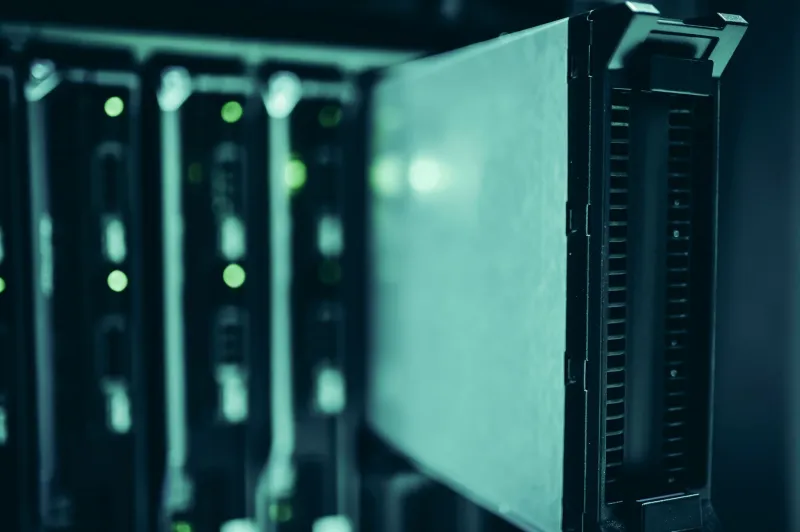
Somewhere between the third iCloud storage upgrade notification and yet another Google One price bump, something snapped for a lot of people. Not just the cost — though that stings plenty — but the realization that thousands of irreplaceable photos, years of documents, and basically the entire digital record of their lives was sitting on someone else's computer, locked behind a subscription they didn't choose so much as stumble into.
That frustration is quietly fueling one of the more interesting tech shifts happening right now: regular Americans ditching corporate cloud backup entirely and setting up their own storage systems at home. No monthly fees. No terms-of-service surprises. No algorithm deciding which memories get compressed.
The Price Hike That Broke the Camel's Back
Let's be honest — most people didn't start thinking about self-hosted backups because they read a whitepaper on data sovereignty. They started thinking about it because Google or Apple sent them an email telling them their plan was going up again.
Google One has raised prices multiple times in the past few years. Apple's iCloud tiers, while relatively stable in price, have drawn criticism for how aggressively iOS nudges users toward paid storage. And if you're a family sharing photos across multiple devices, you can easily find yourself shelling out $10 to $30 a month — which adds up to $120 to $360 a year, every year, indefinitely, just to keep your own files accessible.
For a lot of households, that math eventually stops making sense. Especially when you start looking at what a one-time hardware purchase actually costs.
What "Self-Hosted" Actually Looks Like in Practice
The phrase "self-hosted backup" sounds intimidating, but the actual setup spectrum runs from surprisingly simple to genuinely complex depending on how deep you want to go.
At the entry level, you've got NAS devices — Network Attached Storage. Brands like Synology and QNAP sell plug-and-play boxes that connect to your home router and act like your own personal cloud. Load them up with a couple of hard drives, install the companion app on your phone, and suddenly your photos are backing up to a device sitting on your shelf instead of a data center in Iowa. A two-bay Synology unit runs somewhere between $200 and $400. Throw in two 4TB drives and you're looking at maybe $500 to $600 total — a cost you'd recover in two to four years compared to a mid-tier cloud subscription.
For people who want more control and don't mind a little command line action, Nextcloud has become the go-to open-source platform. It's essentially a self-hosted Google Drive — file syncing, photo galleries, calendar, contacts, even collaborative document editing. You can run it on a spare laptop, a Raspberry Pi, or a proper home server. The software is free. Your data never leaves your network unless you explicitly share it.
Then there's the deeper end of the pool: full home server builds running TrueNAS or Unraid, with RAID configurations for redundancy, automated offsite backups to encrypted cloud storage as a secondary layer, and enough storage capacity to make a small business jealous. These setups can get expensive and require genuine technical knowledge, but the communities around them — Reddit's r/homelab and r/selfhosted especially — are remarkably welcoming to newcomers.
The Privacy Angle Nobody Talks About Enough
Cost is the obvious driver, but privacy is the undercurrent that keeps the conversation going. When your photos live in iCloud or Google Photos, they're subject to automated scanning — for content moderation, for metadata harvesting, and in some cases for compliance with law enforcement requests. Google's AI features literally analyze your images to serve you better search results and memory compilations. That's convenient, sure. It's also a lot of access to hand over to a corporation.
Several high-profile cases have emerged over the years where innocent people had their Google accounts suspended after photos flagged by automated systems — sometimes photos of their own children. Whether or not you think those policies are reasonable, it illustrates the core issue: you're not the one making decisions about your own files.
With a self-hosted setup, your vacation photos aren't training anyone's AI model. Your medical documents aren't sitting next to an ad-targeting algorithm. The data is yours in a way that "you agreed to our terms of service" storage never really is.
The Real Barriers — and They're Not What You'd Expect
Here's where we keep it honest: self-hosted backup isn't for everyone, at least not yet. The setup barriers are real, even if they're shrinking.
Initial configuration is the biggest hurdle. Synology's DiskStation interface has gotten genuinely user-friendly, but there's still a learning curve. Nextcloud installations can go sideways quickly if you're not comfortable with web servers and permissions. And concepts like RAID levels, backup redundancy, and off-site replication aren't things most people have ever had to think about.
Reliability is on you. Corporate cloud services have redundant infrastructure, automatic failover, and teams of engineers keeping things running. Your home NAS has... you. If a drive fails and you don't have a backup of your backup, you could lose data. The self-hosted community has good answers to this problem (the 3-2-1 backup rule is practically gospel in these circles), but it requires discipline.
Remote access can be tricky. Getting to your files from outside your home network involves either setting up a VPN, using dynamic DNS, or relying on your NAS vendor's relay servers — which, ironically, puts a middleman back in the picture. Solutions exist, but they add complexity.
None of this is insurmountable. But it's worth acknowledging that the reason millions of people are on iCloud isn't just laziness — it's that Apple made something that genuinely works without any of this overhead.
The Psychological Shift Is the Interesting Part
What's striking about talking to people who've made this switch isn't the technical satisfaction — it's the relief. There's something that happens when you realize your photos are on a drive in your home office, not floating in some abstract corporate infrastructure. People describe it as "finally feeling like I own my stuff."
That feeling is part of a broader cultural moment. The same instinct that's driving interest in crypto self-custody, decentralized social media, and mesh networking is showing up in backup habits. People are quietly, practically reclaiming pieces of their digital lives — not through grand ideological gestures, but by buying a NAS box and spending a Saturday afternoon getting it set up.
The tools have genuinely gotten good enough to make this accessible. The communities are helpful. The cost math works. And the alternative — paying forever, on someone else's terms, for access to your own memories — is starting to feel less acceptable than it used to.
You don't have to go full homelab to take back some control. But if you've been thinking about it, you're not alone — and you're probably not as far from making the jump as you think.